
Every site in Breadcrumb has its own check-in QR code. Workers scan it with the Breadcrumb app or their phone camera to check in and complete the site induction.
Print it and put it up at the site entrance so it's the first thing people see when they arrive.
Before you start
You'll need Company or Site Host permissions. If you can't see the print option below, contact your company's Breadcrumb administrator.
Tips for putting it up
- Pick the right spot. Put it at the gate or site entrance, where workers will see it before they start work.
- Make it last. Laminate it or have it printed on corflute so it survives the weather.
- Test it. Once it's up, scan it with your own phone to check it opens the right site.
Using a rotating QR code?
If your site is set up with a rotating QR code, a printed code won't work. The code refreshes regularly, so it needs to be shown on a screen or tablet at the entrance instead.
Want workers to do their induction before they arrive?
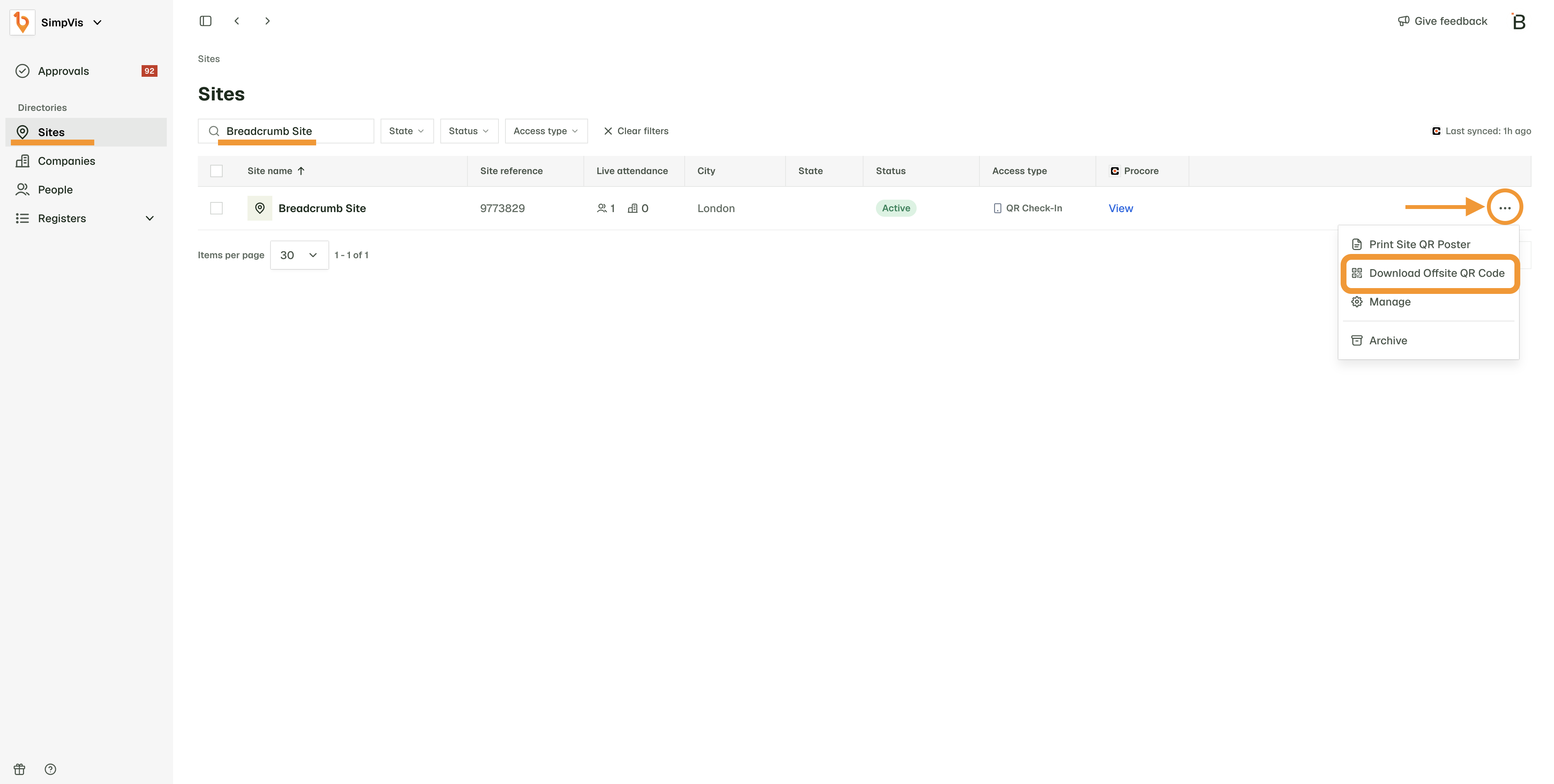
There's a separate off-site QR code for that. Share it with your subbies ahead of time so their workers can complete the induction before their first day.
- In the web portal, go to Sites.
- Click the three dots next to the site.
- Click Download Offsite QR Code.
Keep the check-in QR code up on site as well. Workers still scan it when they arrive.
Need help or have a question?
Contact our Support Team on 1300 744 666 or email support@breadcrumb.co. We’re happy to help!